Restoring GRUB on SysLinuxOS with Encrypted Partitions (LUKS)
Restore GRUB on SysLinuxOS with LUKS-encrypted partitions. Follow the live recovery steps to access your installation and repair Linux boot.

Restore GRUB on SysLinuxOS with LUKS-encrypted partitions. Follow the live recovery steps to access your installation and repair Linux boot.
Restore GRUB on SysLinuxOS with Btrfs subvolumes. Use a live environment to access your installed system and repair the Linux bootloader.
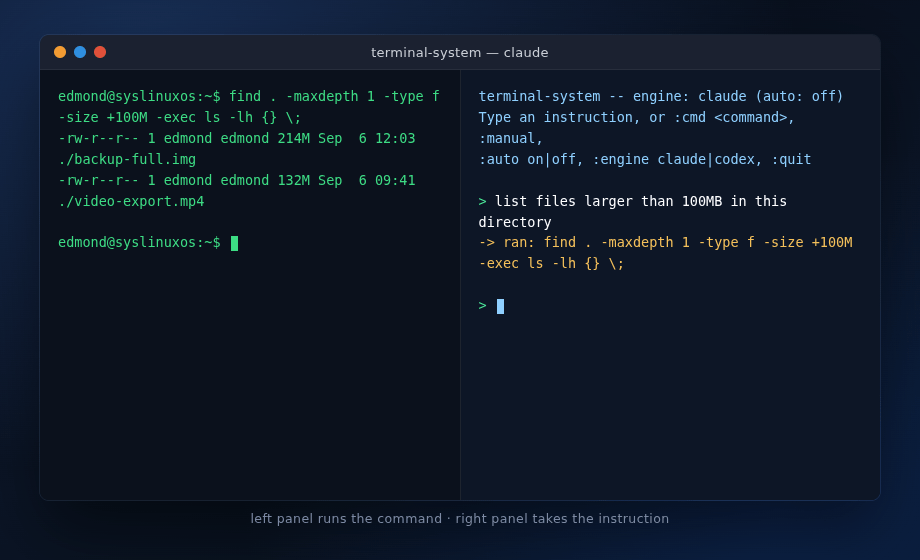
Use terminal-system with Claude Code or Codex to turn Linux administration requests into shell commands, with confirmation before execution.
I am excited to announce that the official SysLinuxOS AP is now live and publicly accessible. All SysLinuxOS tools and packages are now installable and upgradable directly via apt, with GPG signature verification and automatic updates. What it is The SysLinuxOS-Tools repository is a GPG-signed APT repository hosted on GitHub Pages and managed with reprepro. It distributes the packages developed… Read More »SysLinuxOS Official APT Repository Now Live
SysLinuxOS – Snapshot Management Guide 1. Introduction SysLinuxOS 13.2 uses btrfs as its default filesystem and integrates snapper, grub-btrfs, and the syslinuxos-rollback helper to provide automatic, GRUB-bootable filesystem snapshots. Every time the system is updated or a snapshot is created manually, a copy of the root filesystem is stored in /.snapshots. These snapshots appear as boot entries in the… Read More »SysLinuxOS Snapshot Management Guide
SysLinuxOS 13.2 there was no more time This release is not a simple update, but it is the “14” version that I had in mind, a real epochal change. There was no more time and I didn’t want to wait any longer. SysLinuxOS 13.2 is a substantial revision of how the system handles storage, backups, recovery, and boot. The release… Read More »SysLinuxOS 13.2 Revolution
distroClone and distroClone-backup: A Complete System Protection Strategy for Debian-Based Distributions Anyone maintaining a customised GNU/Linux system eventually faces two distinct but related needs: a reliable backup to restore from in case of failure, and a bootable live ISO to deploy on new machines or preserve as a system snapshot. Until now, covering both scenarios required separate tools and manual… Read More »Guide to distroClone and distroClone-backup
DistroClone Backup & Restore In the development of SysLinuxOS, one recurring need was a reliable way to snapshot and restore a system quickly — not just for users, but also during testing and ISO development.That is how DistroClone Backup & Restore was born: a graphical, incremental backup tool designed specifically for Debian-based systems. It is the companion utility to DistroClone… Read More »DistroClone Backup & Restore
