SysLinuxOS Boot and GRUB Boot Management
A guide to SysLinuxOS Boot 0.2.0: APT installation, default GRUB entry, the active boot menu, backgrounds and Plymouth.

A guide to SysLinuxOS Boot 0.2.0: APT installation, default GRUB entry, the active boot menu, backgrounds and Plymouth.
Create a persistent live USB with DistroClone USB: installation, shared storage, LUKS2 encryption, and BIOS or UEFI boot.
Install and use SysLinuxOS Anonimo to route traffic through Tor. Follow the guide to setup, connection checks, and restoring normal networking.
Install SysLinuxOS Wifi Analyzer and locate an access point using its BSSID, signal strength, measurement history, and audio guidance.
Install NVIDIA drivers and CUDA on SysLinuxOS 13 and Debian 13 with syslinuxos-nvidia-setup: GPU detection and kernel module selection.
Install Docker from its official repository on SysLinuxOS 13 and resolve service startup failures with the commands in this guide.
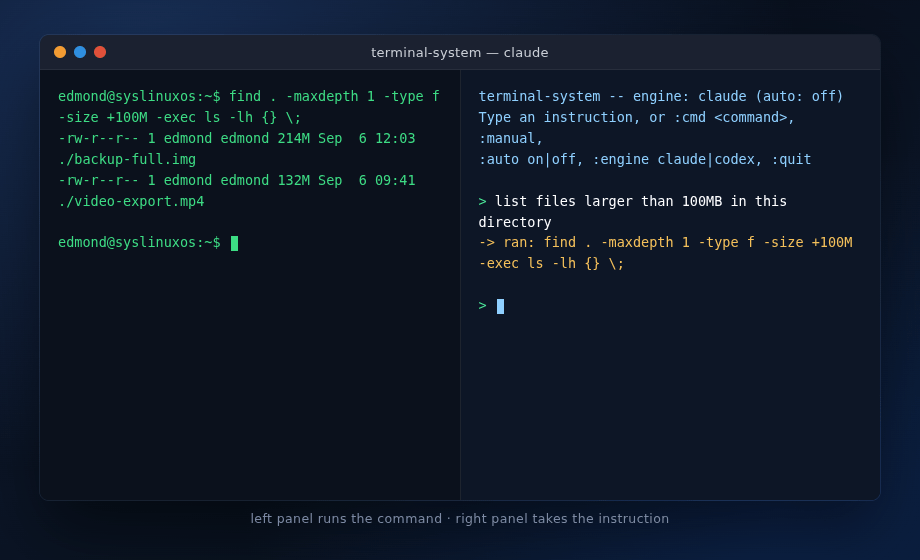
Use terminal-system with Claude Code or Codex to turn Linux administration requests into shell commands, with confirmation before execution.
I am excited to announce that the official SysLinuxOS AP is now live and publicly accessible. All SysLinuxOS tools and packages are now installable and upgradable directly via apt, with GPG signature verification and automatic updates. What it is The SysLinuxOS-Tools repository is a GPG-signed APT repository hosted on GitHub Pages and managed with reprepro. It distributes the packages developed… Leggi tutto »SysLinuxOS Official APT Repository Now Live
