

LAN Discovery added a visual IPv4 and IPv6 range preview in version 1.0.5; version 1.0.6 adds a dedicated page for nearby Wi-Fi channels alongside scanning, history and the inferred map. The preview helps compare entered values with their canonical network form; Wi-Fi analysis summarizes networks reported by NetworkManager and estimates channel overlap.
These features complement local network discovery. They do not automatically expand a scan target or change router settings. For an overview of the core discovery workflow, see the LAN Discovery guide.
IPv4 and IPv6 range preview
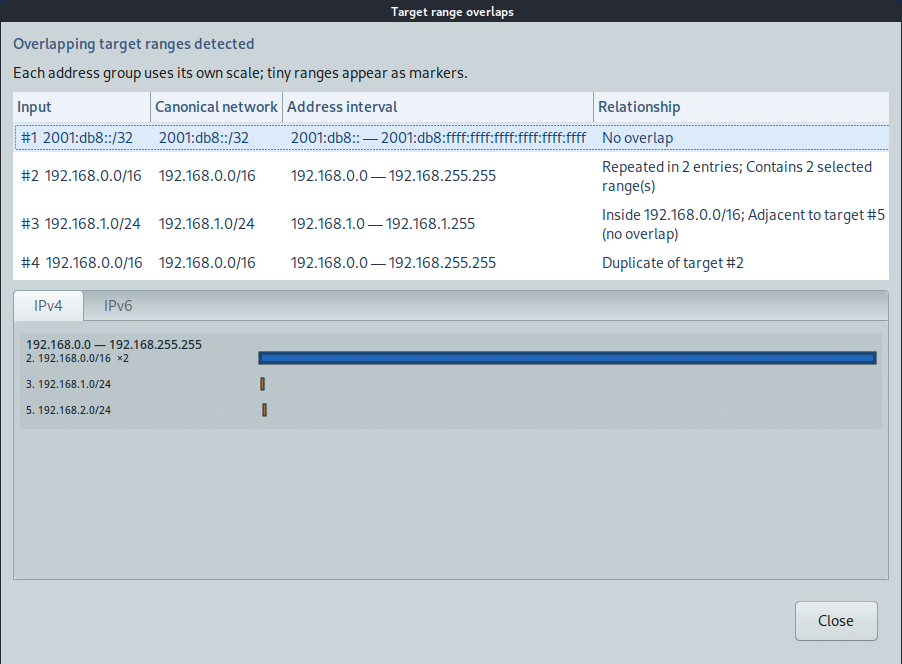
The range checker, available since 1.0.5, displays the original token, its canonical range, and the corresponding numeric interval. This makes it easier to recognize equivalent values written differently and understand which networks overlap. IPv4 and IPv6 calculations use separate address scales and are never compared with each other.
The view identifies duplicates, strict containment, and adjacent intervals. Adjacent ranges end and begin at consecutive addresses, but they do not overlap; the distinction is explicit so a contiguous network is not mistaken for a conflict. Introduced in 1.0.5, this preview does not change range semantics or the actual target of a scan.
The preview checks input only. It does not establish that an interval contains active hosts and does not start a scan. To perform discovery, select a target separately and use the application’s scan controls. Large ranges and ranges belonging to public networks require explicit authorization from their owner. IPv6 ranges wider than /112 are refused.
Wi-Fi channel analysis in LAN Discovery 1.0.6
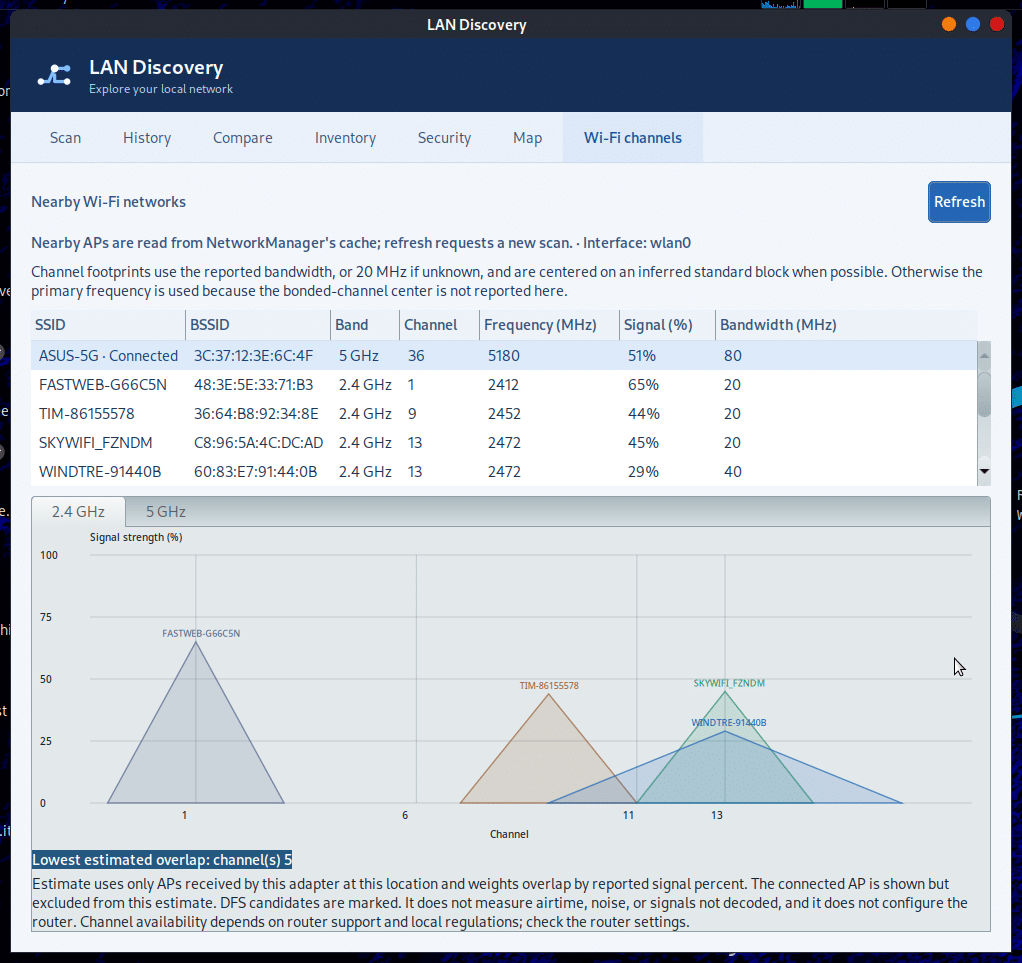
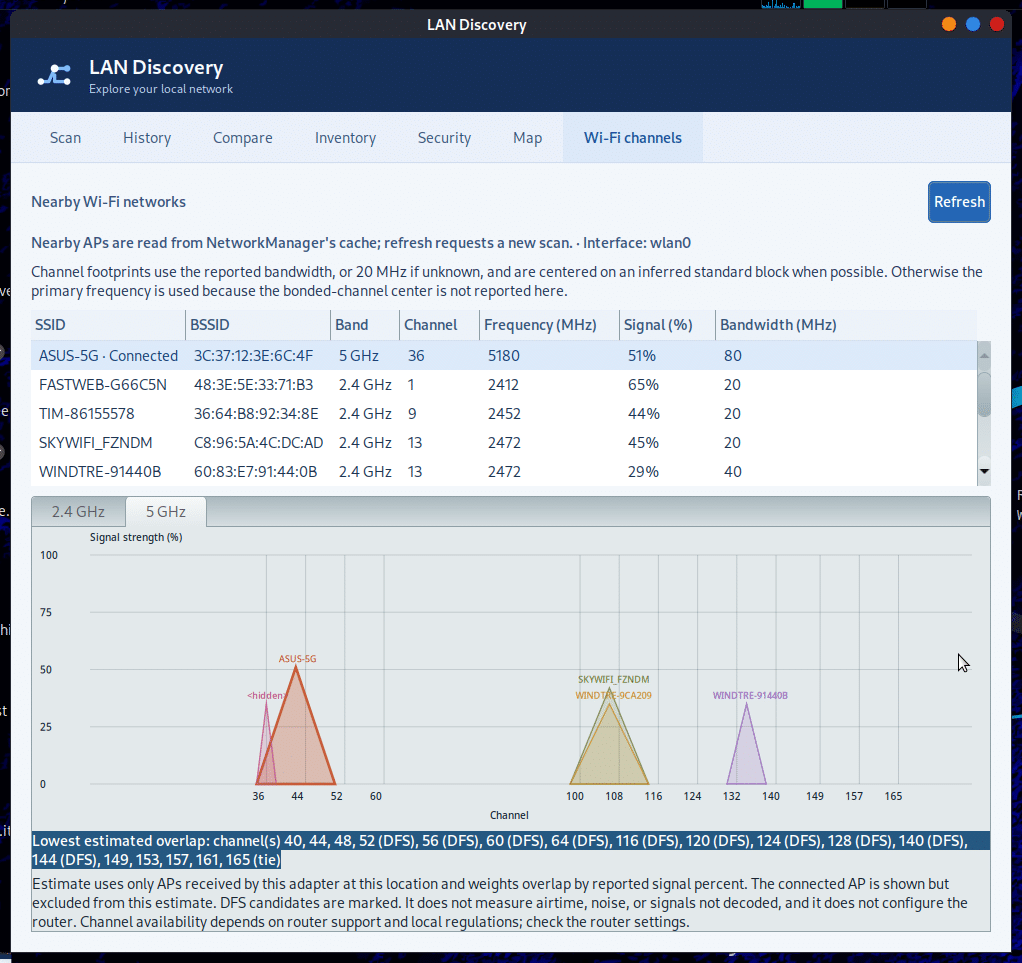
The new Wi-Fi page initially reads NetworkManager’s current cache. Refresh requests a new scan from NetworkManager; depending on the system configuration, an authorization prompt may appear. The table lists SSID, BSSID, band, channel, frequency, signal percentage, and reported bandwidth. Selecting a row highlights the corresponding network.
Charts show 2.4 and 5 GHz networks. A 6 GHz chart appears when access points in that band are detected. The access point currently connected to the computer remains visible in the table but is excluded from the candidate estimate. The analysis weights overlap using reported signal percentage and bandwidth. If bandwidth is unknown, it assumes 20 MHz. For bonded channels, the standard center frequency is inferred when possible; otherwise, the primary frequency is used. DFS-marked candidates are identified.
This is an estimate based on data exposed by NetworkManager, not a measurement of radio occupancy. It does not measure airtime, noise, or undecoded signals, and cannot guarantee that a suggested channel will be best in every situation. LAN Discovery does not configure Wi-Fi or change the router; the analysis helps assess the networks that were observed. For a comparison with a dedicated tool, see the SysLinuxOS Wi-Fi Analyzer guide.
Installation and use
On SysLinuxOS and distributions configured with the SysLinuxOS-Tools APT repository, install or upgrade the package with:
sudo apt update
sudo apt install landiscovery
Repository details and APT setup instructions are on the SysLinuxOS-Tools page. Alternatively, download the direct Debian package for 1.0.6 and install it with APT:
wget https://github.com/fconidi/landiscovery/releases/download/v1.0.6/landiscovery_1.0.6_all.deb
sudo apt install ./landiscovery_1.0.6_all.deb
After launching the app, check the ranges on the preview page before setting a scan target. On the Wi-Fi page, inspect the data already available or press Refresh to request a new scan. If the system requests authorization, confirm only when you intend to perform that refresh.
Precautions and downloads
Use scan features only on networks you are authorized to assess. Review large ranges carefully, and do not treat the preview as proof that hosts are reachable. Wi-Fi results depend on current information supplied by the system and the networks the device can detect; the estimate does not replace an on-site radio measurement.
Release notes and packages for version 1.0.6 are available on the release page. Source code is in the LAN Discovery GitHub repository. For the Italian overview of local network discovery, see the Italian LAN Discovery guide.
Leggi l’articolo in italiano: LAN Discovery 1.0.6: canali Wi-Fi e anteprima delle reti IPv4/IPv6
LAN Discovery 1.0.6: Wi-Fi Channels and IPv4/IPv6 Range Preview