

Tftpd-GUI combines a TFTP server and client, a temporary DHCP server and a Syslog collector in one GTK window. It is designed for configuring switches, routers, access points and similar equipment on a controlled setup network: transfer firmware or configuration, assign an initial address and read messages without switching applications. Services start only when requested and use a helper authorized through polkit.
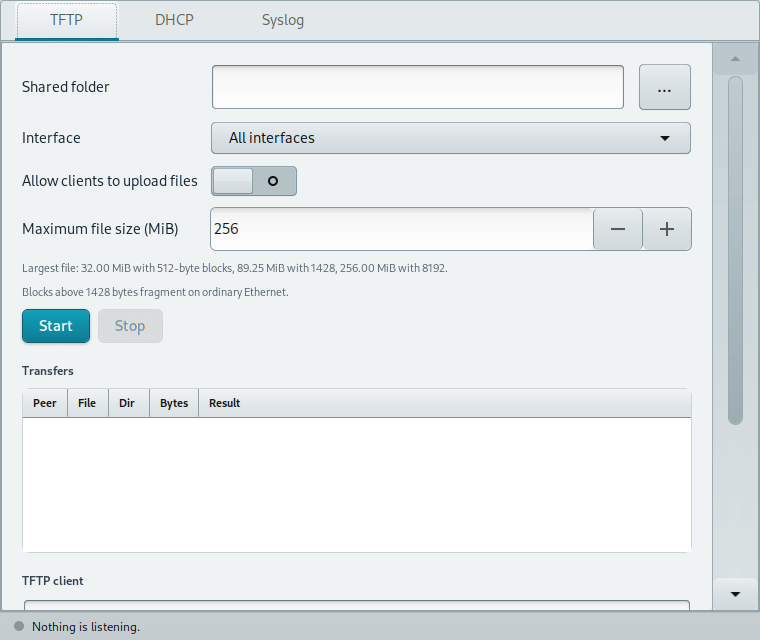
Tftpd-GUI: the three tabs in the window
TFTP, DHCP and Syslog each have their own Start and Stop controls. The status bar shows which services are listening. Standard ports 69/UDP, 67/UDP and 514/UDP need administrator privileges; the helper exits with the window and stops its services. Keep the setup network separate from a production LAN before starting DHCP.
TFTP tab: server, transfers and client
Shared folder and interface
Shared folder sets the root from which devices may read files; the three-dot button opens the folder chooser. Listen on all interfaces or select one. Start opens UDP port 69 and Stop closes it. Absolute paths and parent traversal are rejected, and the server does not follow symbolic links outside the folder.
Uploads and file size
Allow clients to upload files is off by default. When enabled, an upload cannot overwrite an existing file. Maximum file size ranges from 1 to 4096 MiB and starts at 256 MiB. The window also shows the effective limit with 512, 1428 and 8192-byte TFTP blocks: the protocol has at most 65535 blocks, and blocks above 1428 bytes may fragment on ordinary Ethernet.
Transfer list and integrated client
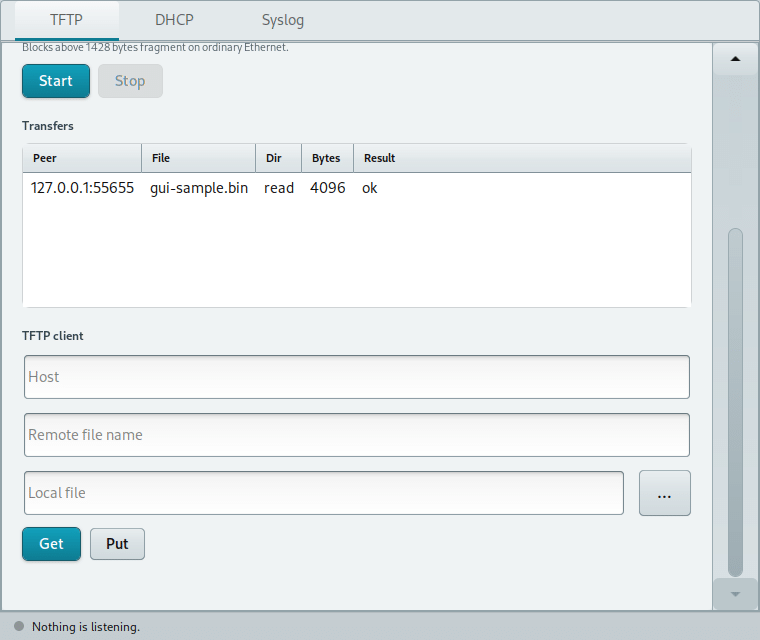
The table records peer, file, direction, byte count and result. Scroll down for the TFTP client: enter a server host, remote file name and local file path, also selectable with the file chooser. Get downloads from another server; Put uploads to it. The client status appears below the buttons. This is separate from the built-in server and uses your user permissions.
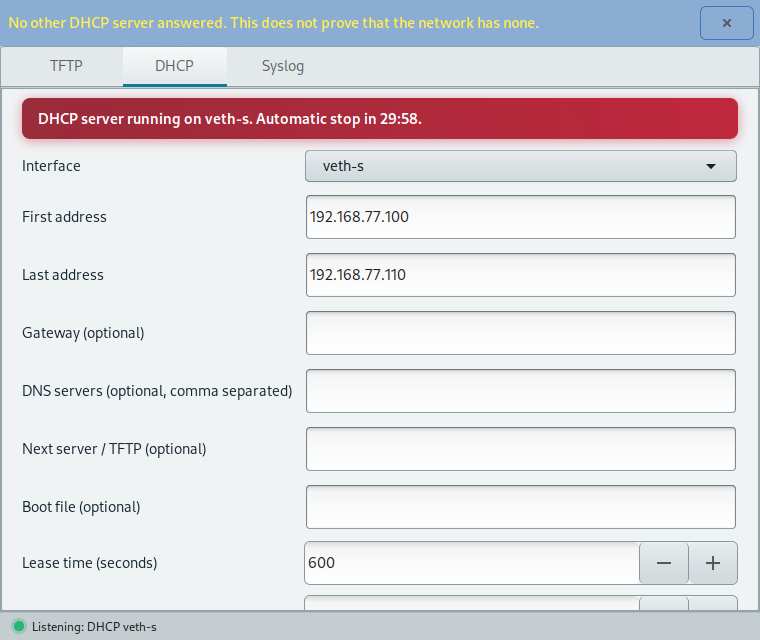
DHCP tab: temporary addresses on one interface
Select the interface attached to the setup network and enter the first and last addresses of the pool. The window takes the server address and mask from that interface and checks that the pool belongs to the right network. Optional fields provide a gateway, DNS servers, next server/TFTP and boot file. Lease time starts at 600 seconds; automatic stop starts at 30 minutes and can be adjusted.
Start first asks you to confirm interface and pool, then probes for other DHCP servers on the segment. If one answers, a second confirmation is needed; if probing fails, you must explicitly choose whether to proceed. Silence does not prove that the network has no DHCP server. While running, a red banner counts down to automatic stop; Stop ends the service immediately. Do not run it on a production network with an existing DHCP service.
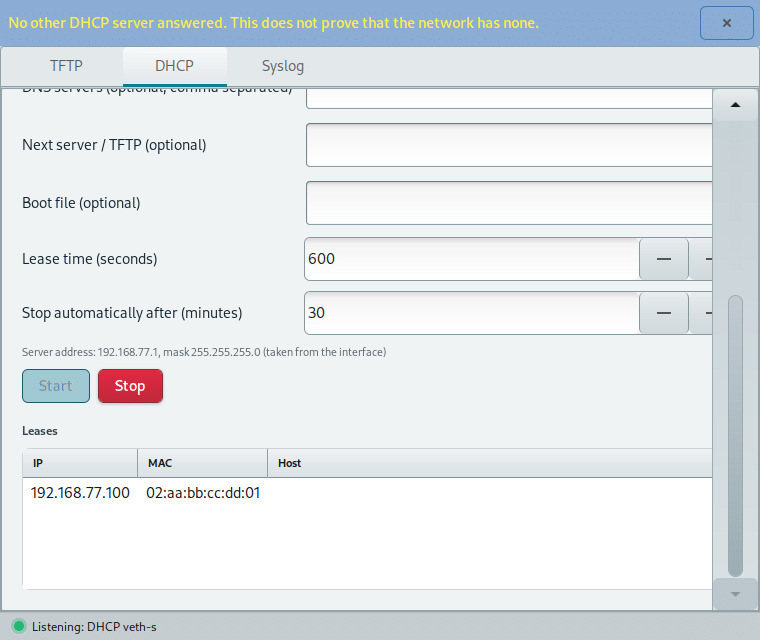
Further down, the Leases table displays IP, MAC and host for addresses assigned during this session. Automatic stop limits the service lifetime but does not replace network isolation.
Syslog tab: UDP and TCP messages
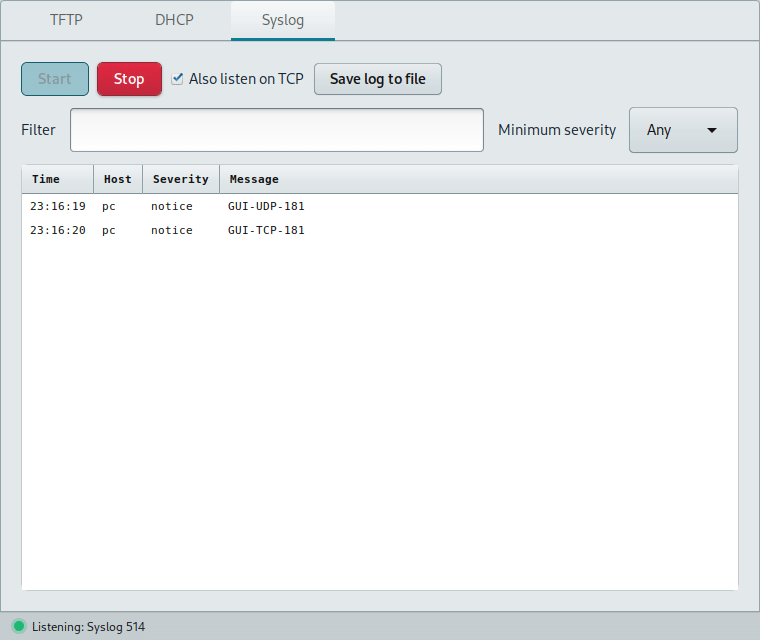
Start opens UDP port 514; Also listen on TCP enables TCP too. The table shows time, host, severity and message. Filter searches message text, while Minimum severity narrows the visible levels; Save log to file exports the currently visible rows. Stop closes the listeners. Saving is performed by the window with your user permissions.
APT and .deb installation
Configure the SysLinuxOS-Tools APT repository and install:
sudo apt update
sudo apt install tftpd-gui
Or download tftpd-gui 0.1.1 from GitHub Releases and install the file from your download directory:
sudo apt install ./tftpd-gui_0.1.1_all.deb
The application needs Debian 12 or a compatible system, Python 3.11 or newer, GTK 3 and polkit. Launch from the SysLinuxOS Tools menu or run tftpd-gui. The interface is available in English, Italian, French, German and Spanish.
Precautions and related tools
The DHCP server belongs on an isolated setup network. Tftpd-GUI supports IPv4; it does not provide DHCPv6, DHCP relay, DNS, FTP, HTTP or a full PXE menu. Before configuring equipment on a LAN, SysLinuxOS Network Neighbors can identify the connected switch, port and VLAN, while LAN Discovery can find hosts and services.
Downloads and source code
The Tftpd-GUI repository contains source and documentation. Version 0.1.1 is available from the GitHub release and the SysLinuxOS-Tools APT repository.
Read the article in Italian: guida a Tftpd-GUI in italiano.
Tftpd-GUI: TFTP, DHCP and Syslog in one window